Alternatives

Glasp alternatives for YouTube videos

We make SourceLayer, so read this with that in mind. Glasp is a reading tool that grew from web highlighting into YouTube summaries, transcripts and chat. Its Chrome extension is free, and for many readers it is a good default. People look for an alternative, or a companion, when YouTube becomes their main source and they need more structure inside each long video.

By SourceLayer team · Updated 2 November 2026

Add SourceLayer to Chrome See the interactive demo
at

Options at a glance

What each tool is built for and its entry price
ToolBuilt forEntry price
SourceLayerNavigating one long YouTube video: a Map of sections and ideas, each linked to its transcript passage and exact timestampFree: 3 hours of video a month. Standard: $13.99/month or $125.91/year in the US, and £10.99/month or £98.91/year in the UK
RecallA personal knowledge base that saves and summarises articles, PDFs, videos and podcastsFree: 10 AI summaries a month. Plus: $10 a month billed yearly
EightifyA quick summary of a video’s key ideas, to decide whether to watchNot confirmed; check eightify.app
NoteGPTA broad AI toolkit: video summaries, notes and one-click mind maps, plus file transcription, slides and writing toolsPro: $9 a month billed yearly, or $9.99 monthly
YouTLDRSummaries and transcripts in many languages, and turning videos into blog posts, LinkedIn articles and threadsPro: $12 a month, up to 10 new transcripts and 10 summaries a day
GlaspHighlights and notes across web pages and PDFs, plus YouTube summaries and transcriptsFree Chrome extension; paid plans on glasp.co

Prices from each product’s own pricing page, checked 1 November 2026, except Eightify, whose prices we could not confirm. Prices and plans change; check each site before you buy. We make SourceLayer, so read this with that in mind.

01

When a transcript is not enough structure

A full transcript is complete, but a two-hour transcript is still a long block of text. Searching it works when you remember the exact word. It works less well when you remember the idea but not the wording. That is the gap a structured Map fills: sections, then ideas, then the passage, then the moment.

02

Alternative or companion?

You may not need to replace Glasp. Many people keep a highlighter for articles and PDFs and add a video-specific tool for long lectures, interviews and courses. Decide whether you want one tool for everything or the best fit for each kind of source.

03

If YouTube is your main source: SourceLayer

SourceLayer maps one long YouTube video into sections and ideas, links every idea to its transcript passage and exact timestamp, and follows the video as it plays. It works on YouTube only, on purpose.

SourceLayer vs Glasp in detail
04

If you want one library for everything: Recall

Recall saves and summarises articles, PDFs, videos and podcasts into a connected knowledge base.

SourceLayer vs Recall
05

If you only want a quick summary: Eightify

Eightify gives a short set of key ideas with timestamp navigation, built for deciding whether to watch.

SourceLayer vs Eightify
06

If you want many AI tools: NoteGPT

NoteGPT bundles video summaries, notes and one-click mind maps with many other AI tools.

SourceLayer vs NoteGPT
07

If you repurpose videos: YouTLDR

YouTLDR turns videos into blog posts and social content, with transcripts in many languages.

SourceLayer vs YouTLDR
08

Test any alternative in ten minutes

Pick one video of an hour or more that you already know well. Write down three things you remember from it: a definition, an example and a claim you might quote. Then, in Glasp and in each alternative you are considering, time how long it takes to find each one and to check the exact wording in the original video. The tool that gets you back to the right moment fastest, with the words you can verify, is the one that fits long videos. If you only ever needed the gist, the fastest summary wins instead.

09

SourceLayer’s limits

SourceLayer works with supported YouTube videos that have usable captions, in Chrome. Automatic captions can mishear names and technical terms, and a Map can miss context, so check the original video before relying on an idea. In the inspected extension implementation, video sync and timestamp seeking are limited to the first 90 minutes of a video. SourceLayer does not summarise web articles or PDFs.

10

Questions

Can I use SourceLayer and Glasp together?

Yes. They are separate Chrome extensions. Glasp covers web and PDF highlighting; SourceLayer covers navigating long YouTube videos.

Is there a Glasp alternative that is built for YouTube only?

SourceLayer works on YouTube only. It maps one long video into sections and ideas linked to the transcript and exact timestamp.

Is SourceLayer free?

Free includes 3 hours of video per month with no card. Standard is $13.99 per month or $125.91 per year in the US, and £10.99 per month or £98.91 per year in the UK and includes 30 hours per month plus the Saved Library.

Which browsers does SourceLayer support?

SourceLayer is a Chrome extension. It works beside supported YouTube videos that have usable captions.

See the Map and Saved Library

Product views from our published Chrome Web Store listing. Saving Maps and ideas is available on Standard.

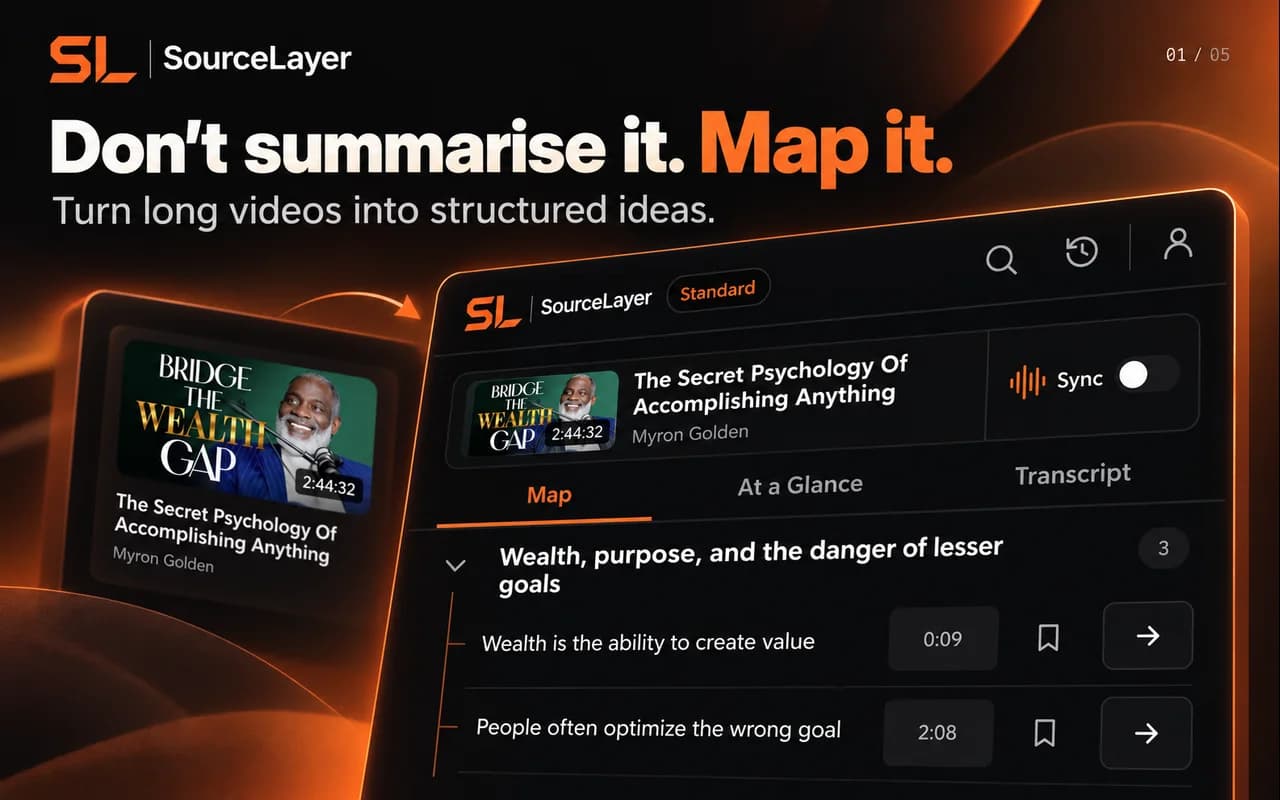
SourceLayer Chrome Web Store artwork showing the Map tab, section headings, idea timestamps and Sync control
Map: explore sections and ideas, then return to a timestamp.
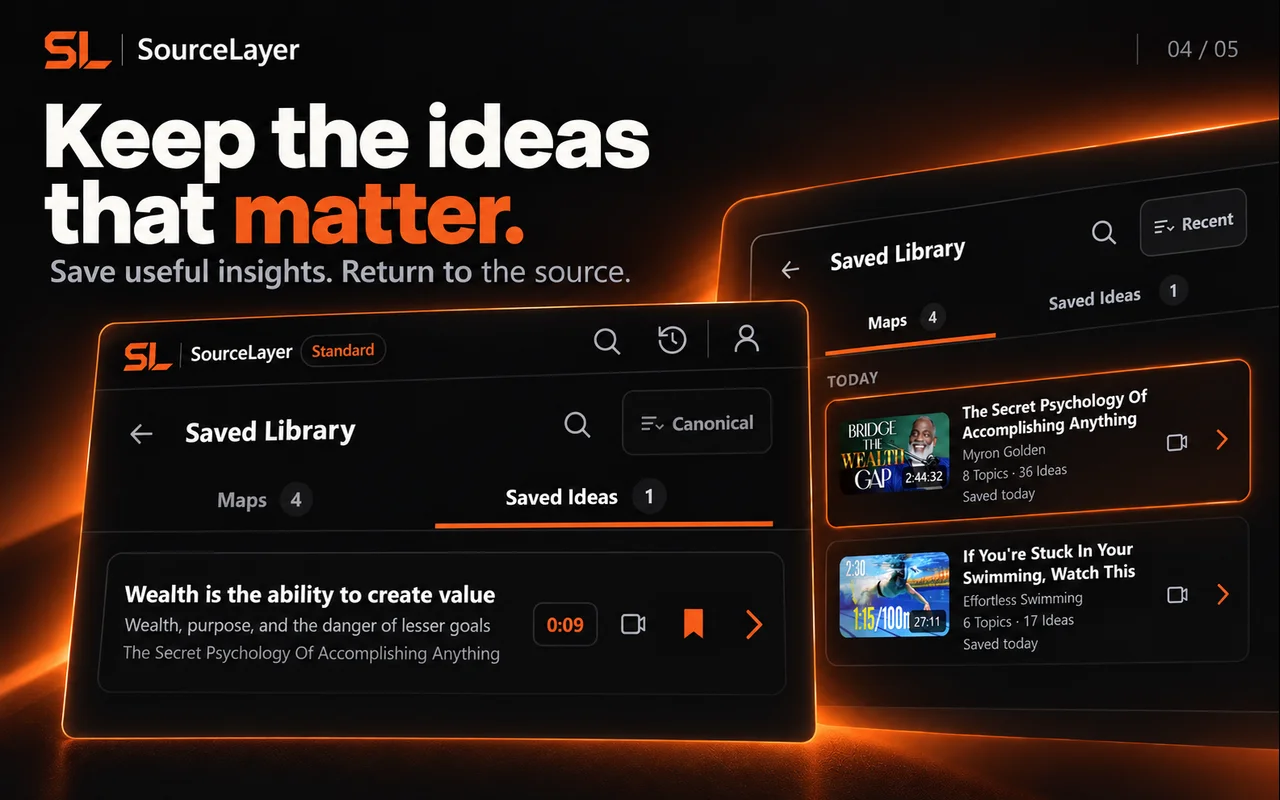
SourceLayer Chrome Web Store artwork showing Saved Library with Maps and Saved Ideas tabs on Standard
Saved Library on Standard: keep Maps and useful ideas for later.

View the current Chrome Web Store listing. Listing artwork shows example content; it does not imply creator endorsement.

Explore a real Map

Quantum Mechanics: Animation explaining quantum physics — Physics Videos by Eugene Khutoryansky (25:46).

Frozen marketing Map based on the captured public English caption track. Source: Physics Videos by Eugene Khutoryansky, Creative Commons Attribution (YouTube). Selected excerpts and editorial paraphrases; no affiliation or endorsement.

This example uses the current research demonstration. It illustrates Map navigation; it is not a transcript of the video.

  1. Two slits turn individual impacts into an interference pattern

    0:00–5:09 — watch this section on YouTube
    • Large marbles build two concentrated impact bands (0:19)
    • Overlapping waves explain the alternating bands (2:13)
  2. Finding the path changes the interference experiment

    5:09–10:49 — watch this section on YouTube
    • Closing either slit removes the interference pattern (5:14)
    • Path detectors remove interference even without a viewer (7:26)
  3. Probability connects the wave description to measured outcomes

    10:49–14:42 — watch this section on YouTube
    • The wave description predicts where an observation may occur (10:57)
    • The illustration extends uncertainty to interacting objects (12:33)
  4. Spin measurements depend on the detector's direction

    14:42–17:09 — watch this section on YouTube
    • A detector reports spin along a chosen direction (14:53)
    • Changing the detector angle can change the next spin reading (15:52)
  5. Paired-spin correlations challenge predetermined outcomes

    17:09–22:43 — watch this section on YouTube
    • Aligned and rotated detectors produce different correlations (17:10)
    • The argument separates observed correlations from their interpretation (19:27)
  6. Interpretation, relativity and indistinguishable particles remain connected questions

    22:43–25:46 — watch this section on YouTube
    • The source acknowledges competing interpretations (22:43)
    • A joint probability description leads back to the measurement problem (23:58)
Try the interactive demonstration

Source-linked by design.

AI organises.
The source proves.

Idea → Supporting transcript → Exact timestamp → Original source

Stop searching through videos.
Start navigating them.

Add SourceLayer to Chrome