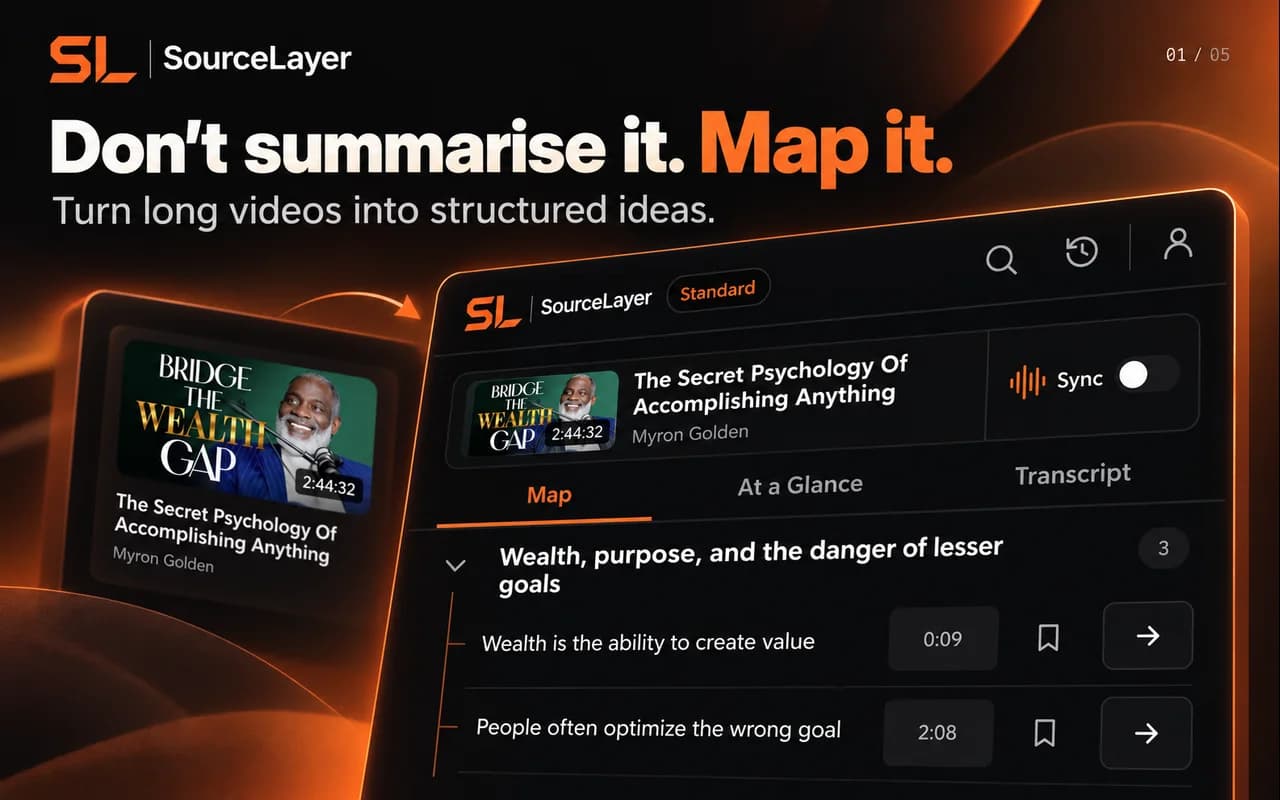
We make SourceLayer, so read this with that in mind. NoteGPT is a wide AI toolkit that includes YouTube summaries, notes and one-click mind maps. SourceLayer does one thing: a navigable Map of a long YouTube video, with every idea tied to its source.
✓ Available · ✕ Not available for the feature and scope described · Not verified: we could not confirm it either way.
Rows come from each product’s public documentation and pricing page, checked 1 November 2026. “Not verified” means we could not confirm it either way; it does not mean the feature is missing. Features change. This compares selected features only and doesn’t cover everything each product offers.
01
The short version
NoteGPT turns YouTube videos and transcripts into summaries and notes, and can generate a mind map of a video in one click. It has grown well beyond YouTube: its pricing page lists audio and video file transcription, AI chat, slides, images, an AI detector and an AI humaniser. SourceLayer is deliberately narrow. It works on YouTube only and puts its effort into one thing: a structured Map you can trust because every idea leads back to the passage and moment it came from.
02
Mind map vs source-linked Map
Both products give you a visual structure for a video, so the concept alone isn’t the difference. The question is what each part of the structure is tied to. In a SourceLayer Map, every idea opens its supporting transcript passage and the exact timestamp, and the Map follows the video as it plays, so you can check the original wording before you rely on it. We have not verified how NoteGPT’s mind map nodes link back to the video, so we mark that as not verified rather than missing.
03
Price and scope
NoteGPT is cheaper at its entry level and offers far more tools. If you want one subscription for transcription, writing, slides and summaries across many formats, that breadth is a real advantage. SourceLayer costs more because it is built for one job and does it carefully. Its allowance is measured in hours of video: 3 hours a month free, 30 hours on Standard.
04
Looking for a NoteGPT alternative?
If you mainly use NoteGPT for long YouTube videos and want to check exactly where each idea came from, map one of those videos in SourceLayer on the Free plan and compare the two side by side. If you use NoteGPT’s other tools every day, it will likely stay the better fit for that work.
05
SourceLayer’s limits
SourceLayer works with supported YouTube videos that have usable captions. Automatic captions can mishear names and technical terms, and a Map can miss context, so check the original video before relying on an idea. In the inspected extension implementation, video sync and timestamp seeking are limited to the first 90 minutes of a video. SourceLayer does not summarise web articles or PDFs.
06
Pricing
SourceLayer
Free: £0, 3 hours of video per month, no card required.
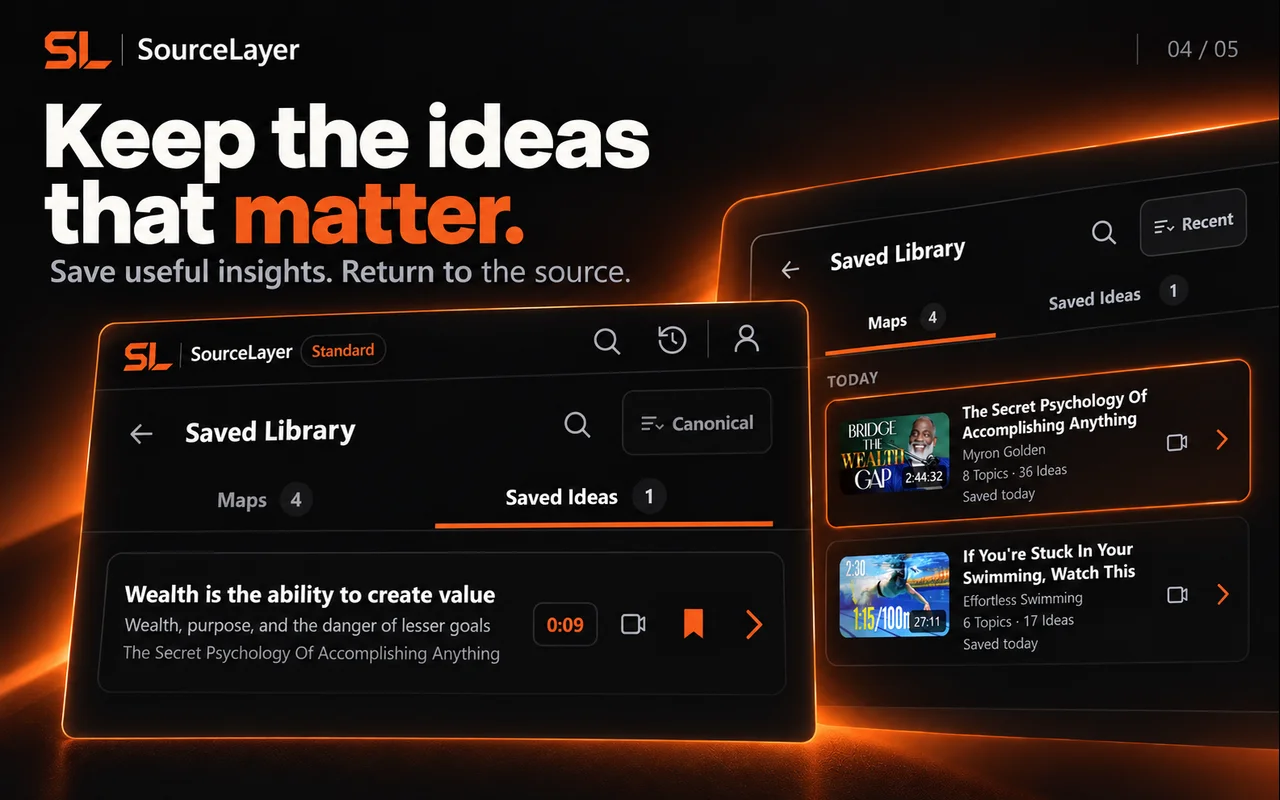
Standard: $13.99 per month or $125.91 per year in the US, and £10.99 per month or £98.91 per year in the UK (save 25% annually). 30 hours of video per month plus the Saved Library.
Prices are in GBP. Stripe Checkout shows the final amount, currency and any tax before payment.
NoteGPT
Pro: $9 per month billed yearly ($108 per year), or $9.99 monthly. 1,000 basic quotas per month.
Unlimited: $19.92 per month billed yearly ($239 per year), or $29 monthly.
Max: $69 per month billed yearly ($829 per year), or $99 monthly.
You want every idea tied to the passage and moment it came from
You want the Map to follow the video as it plays
You prefer a focused tool to a large toolkit
Choose NoteGPT if
You want one subscription for many AI tools and formats
You need audio or video file transcription, slides or AI writing
A lower entry price matters more than source-linking
08
Questions
Is SourceLayer a NoteGPT alternative?
For long YouTube videos where you need to check the source, yes. For NoteGPT’s wider toolkit, such as file transcription, slides and AI writing, SourceLayer is not a replacement.
Both make maps. What is the difference?
In SourceLayer, every idea opens its supporting transcript passage and exact timestamp, and the Map follows the video as it plays. We have not verified the same for NoteGPT’s mind maps.
Why does SourceLayer cost more?
SourceLayer focuses on one job, navigating long YouTube videos, and measures its allowance in hours of video. Free includes 3 hours per month; Standard includes 30 hours for $13.99 per month or $125.91 per year in the US, and £10.99 per month or £98.91 per year in the UK.
Does SourceLayer work on files or articles?
No. SourceLayer works with supported YouTube videos only.
We make SourceLayer. We have tried to describe NoteGPT fairly from its own public pages. If something here is out of date, email support@source-layer.com and we will correct it.
See the Map and Saved Library
Product views from our published Chrome Web Store listing. Saving Maps and ideas is available on Standard.
Map: explore sections and ideas, then return to a timestamp.Saved Library on Standard: keep Maps and useful ideas for later.
 Add SourceLayer to Chrome