We make SourceLayer, so read this with that in mind. YouTLDR is built to get the TLDR of a video and turn it into other content. SourceLayer is built to understand a long video and return to the exact moment an idea was said.
✓ Available · ✕ Not available for the feature and scope described · Not verified: we could not confirm it either way.
Rows come from each product’s public documentation and pricing page, checked 1 November 2026. “Not verified” means we could not confirm it either way; it does not mean the feature is missing. Features change. This compares selected features only and doesn’t cover everything each product offers.
01
The short version
YouTLDR’s Pro plan covers summaries and highlights, transcription and translation in 125+ languages, a visual timeline with timestamps, a Q&A chatbot, quizzes, comparison of several videos, downloads, and conversion of videos into blog posts, LinkedIn articles and Twitter threads. It is a strong fit for creators and marketers who turn videos into new content. SourceLayer is for people who need to understand and revisit what was said: students, researchers and anyone working through long lectures, interviews and courses.
02
Daily caps vs monthly hours
YouTLDR’s pricing page lists one paid plan, Pro at $12 per month, with a fair-use cap of up to 10 new transcripts and 10 summaries per day. SourceLayer measures allowance in hours of video per month: 3 hours on Free and 30 hours on Standard. If you watch a few long videos in depth, monthly hours fit that pattern. If you process many short videos every day for content, YouTLDR’s model may suit you better.
03
Timeline vs Map
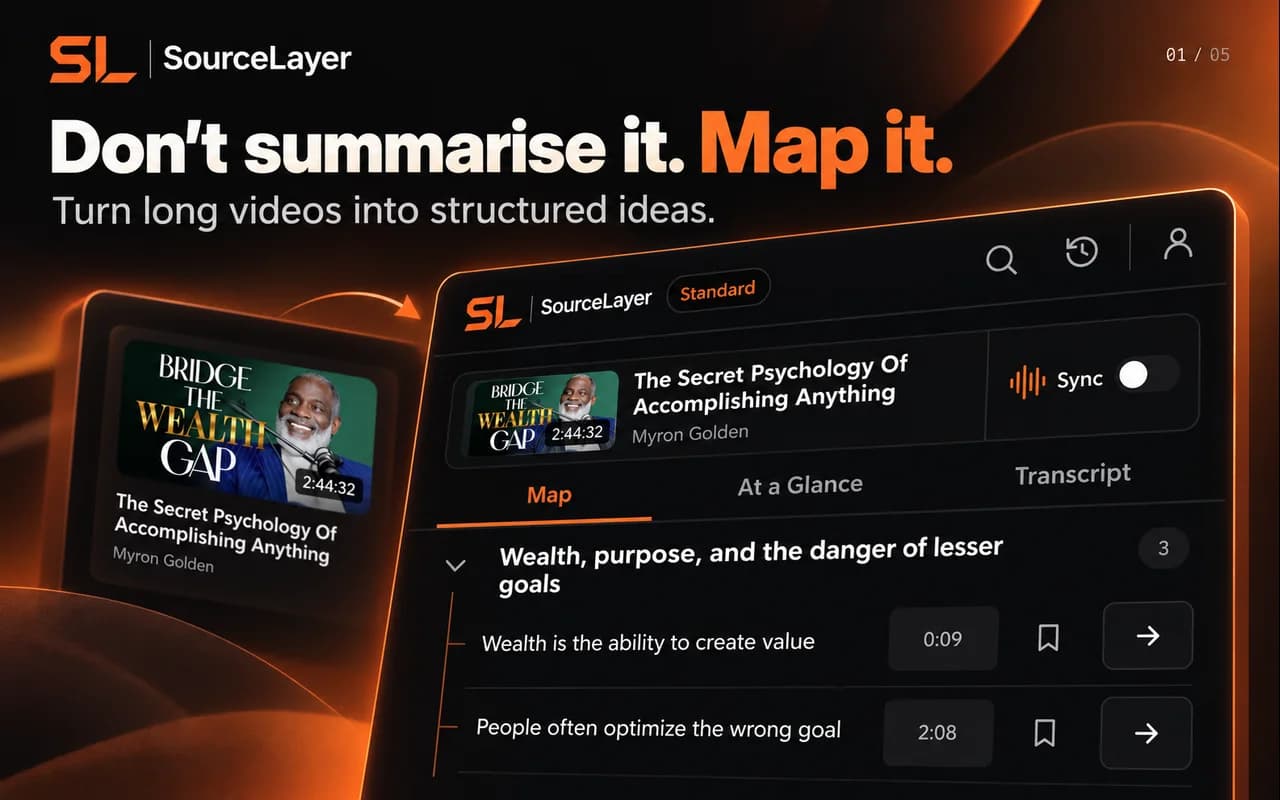
YouTLDR offers a visual timeline with key beats and timestamps. SourceLayer’s Map goes one level deeper: sections expand into ideas, each idea opens the transcript passage behind it, and the Map follows the video as it plays. That matters when you need to check the exact wording before quoting it or relying on it. We have not verified whether YouTLDR’s timeline follows playback or links each point to a passage, so those cells say not verified.
04
Looking for a YouTLDR alternative?
If you use YouTLDR mainly to study or research long videos rather than to repurpose them, try mapping the same video in SourceLayer on the Free plan. If repurposing into posts and articles is the job, YouTLDR is built for that and SourceLayer is not.
05
SourceLayer’s limits
SourceLayer works with supported YouTube videos that have usable captions. Automatic captions can mishear names and technical terms, and a Map can miss context, so check the original video before relying on an idea. In the inspected extension implementation, video sync and timestamp seeking are limited to the first 90 minutes of a video. SourceLayer does not summarise web articles or PDFs.
06
Pricing
SourceLayer
Free: £0, 3 hours of video per month, no card required.
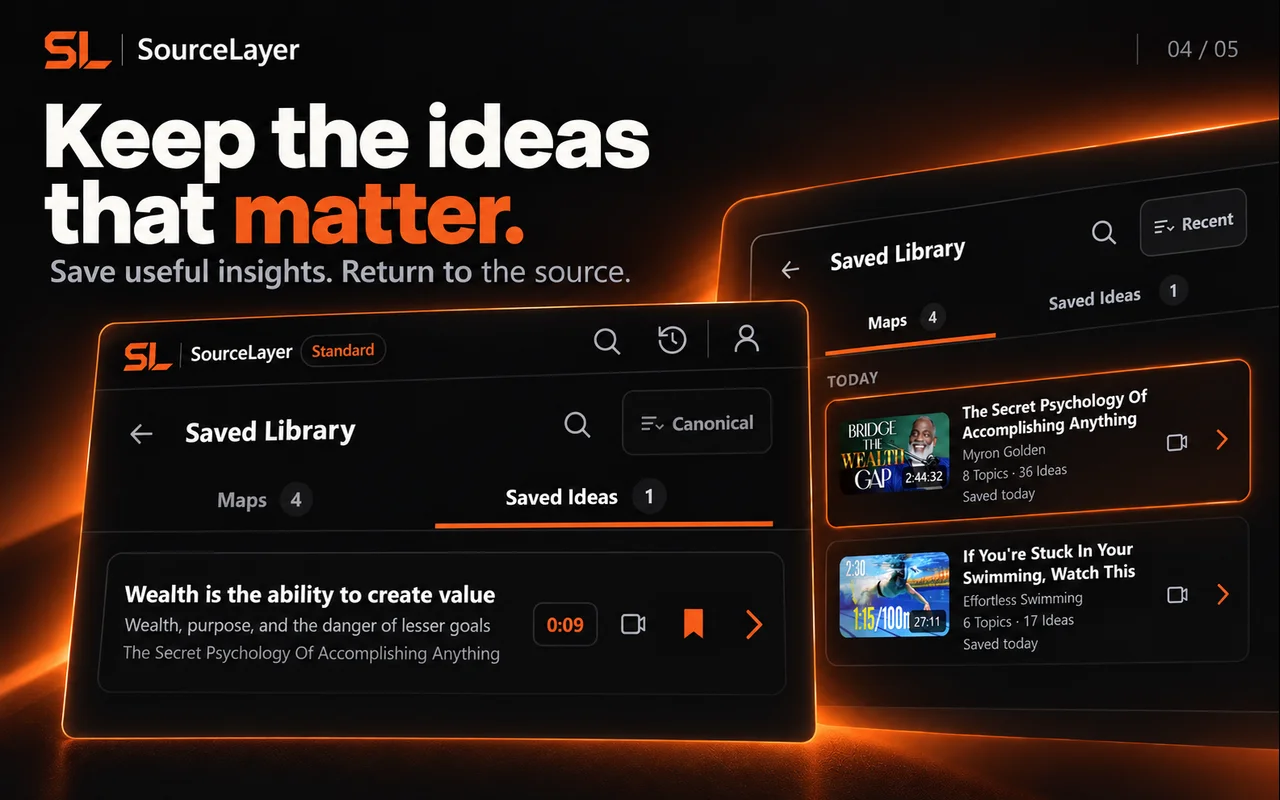
Standard: $13.99 per month or $125.91 per year in the US, and £10.99 per month or £98.91 per year in the UK (save 25% annually). 30 hours of video per month plus the Saved Library.
Prices are in GBP. Stripe Checkout shows the final amount, currency and any tax before payment.
YouTLDR
Pro: $12 per month, with a fair-use cap of up to 10 new transcripts and 10 summaries per day.
30-day money-back guarantee, according to YouTLDR’s pricing page.
You need to check the exact passage before quoting
You want the Map to follow the video as it plays
You want a free monthly allowance to start
Choose YouTLDR if
You turn videos into blog posts, LinkedIn articles or threads
You need transcription or translation in many languages
You process many shorter videos each day
08
Questions
Is SourceLayer a YouTLDR alternative?
For studying and researching long YouTube videos, yes. For repurposing videos into posts and articles, YouTLDR is built for that and SourceLayer is not.
How do the limits compare?
YouTLDR Pro lists a fair-use cap of up to 10 new transcripts and 10 summaries per day (checked 1 November 2026). SourceLayer includes 3 hours of video per month free and 30 hours on Standard.
How much does each cost?
YouTLDR Pro is $12 per month. SourceLayer Standard is $13.99 per month or $125.91 per year in the US, and £10.99 per month or £98.91 per year in the UK, and SourceLayer has a Free plan.
Does SourceLayer translate videos?
Translation is not part of what this page compares for SourceLayer. SourceLayer works with supported YouTube videos that have usable captions.
We make SourceLayer. We have tried to describe YouTLDR fairly from its own public pages. If something here is out of date, email support@source-layer.com and we will correct it.
See the Map and Saved Library
Product views from our published Chrome Web Store listing. Saving Maps and ideas is available on Standard.
Map: explore sections and ideas, then return to a timestamp.Saved Library on Standard: keep Maps and useful ideas for later.
 Add SourceLayer to Chrome