YouTube has a built-in transcript for most videos with captions. You don’t need an extension to open it. Here is how to find it, copy it, and use it to get back to the moment you need, plus what to do when it is missing.
Open the video on its YouTube watch page. Below the video, click the description to expand it, then scroll to the end of the description and select Show transcript. The transcript opens in a panel beside the video, with a timestamp on each line. Click any line to jump to that moment.
On many videos, the transcript is also available from the expanded description in the YouTube app. Tap the description, scroll down and look for the transcript option. Availability varies by video, app version and device.
03
Copy the transcript text
In the transcript panel on a computer, you can usually hide the timestamps from the panel’s menu, then select the text and copy it. Keep a note of the video title, URL and the timestamps you care about, so you can check the source later.
04
Change the transcript language
The transcript follows the captions available for the video. If the video has captions in more than one language, choose a different language from the transcript panel. Automatic translations may be less accurate than captions the creator uploaded.
05
Why there is no Show transcript option
The transcript depends on captions. If a video has no captions, or the creator has not made them available, there may be no transcript. Some live streams and very new uploads may not have captions yet. Check the player’s caption settings; if there are no captions there, a transcript tool cannot reliably recover them.
06
How accurate are automatic transcripts?
Automatic captions are generated by speech recognition. They often mishear names, technical terms, accents and overlapping speech. Before you quote a transcript, play the original passage and check the words.
07
Use the transcript to find a moment
If you remember a distinctive word, use your browser’s find (Ctrl+F or Cmd+F) on the open transcript panel, or scan it, then click the line to jump there. If you remember the idea but not the exact words, keyword search can fail. That is where a structured Map helps: browse sections and ideas, then follow the idea to its passage and timestamp.
A transcript is the creator’s words. Quote only what you need, credit the speaker and link to the video at the timestamp. Don’t republish whole transcripts.
09
How SourceLayer uses the transcript
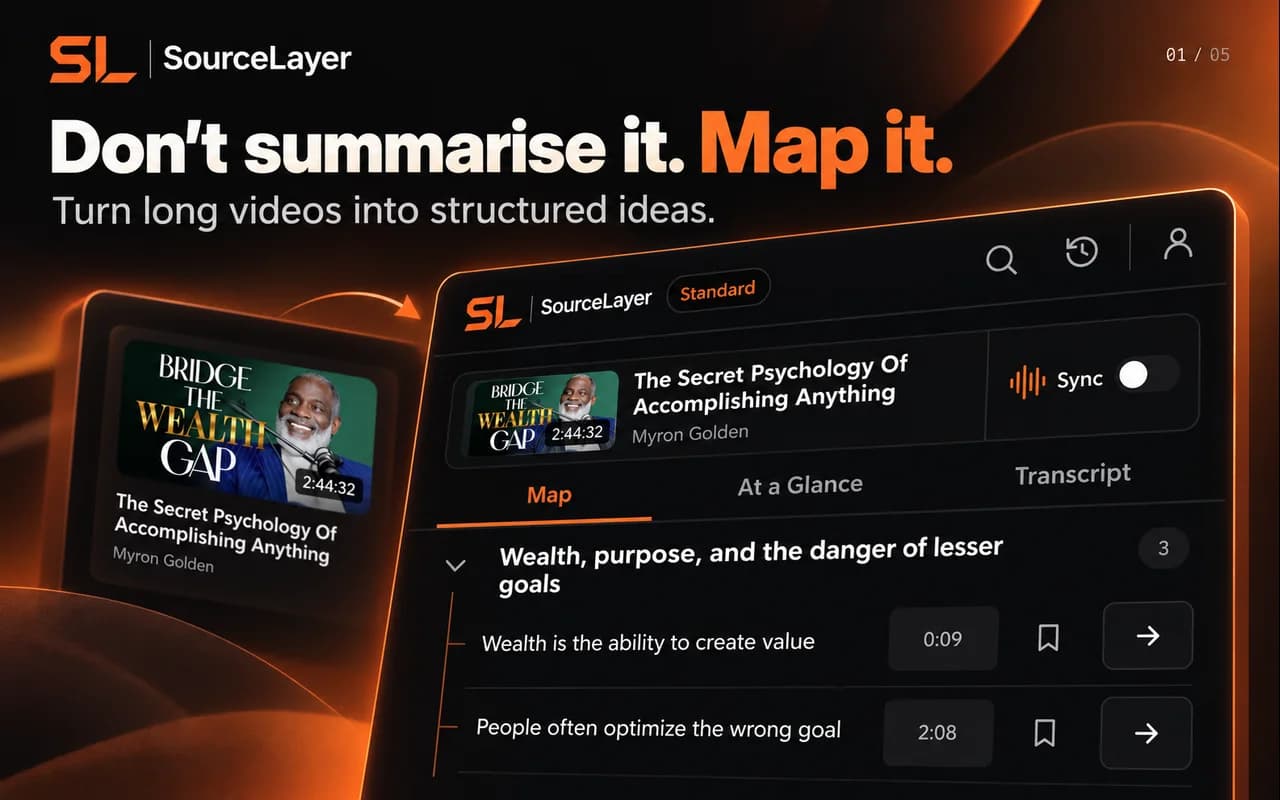
SourceLayer is not a transcript downloader. It shows the available transcript beside a Map of the video, and every idea in the Map opens the transcript passage that supports it, with the exact timestamp. That way you get the structure and the source together.
SourceLayer works with supported YouTube videos that have usable captions, in Chrome. Automatic captions can mishear names and technical terms, and a Map can miss context, so check the original video before relying on an idea. In the inspected extension implementation, video sync and timestamp seeking are limited to the first 90 minutes of a video. SourceLayer does not summarise web articles or PDFs.
11
Questions
Is the YouTube transcript free?
Yes. Show transcript is built into YouTube for videos that have captions.
Can I download a YouTube transcript?
YouTube does not offer a download button for viewers. You can copy the text from the transcript panel. Respect the creator’s rights when you reuse it.
Why does the transcript have mistakes?
Automatic captions are produced by speech recognition and can mishear words, especially names and technical terms. Check the original audio before quoting.
See the Map and Saved Library
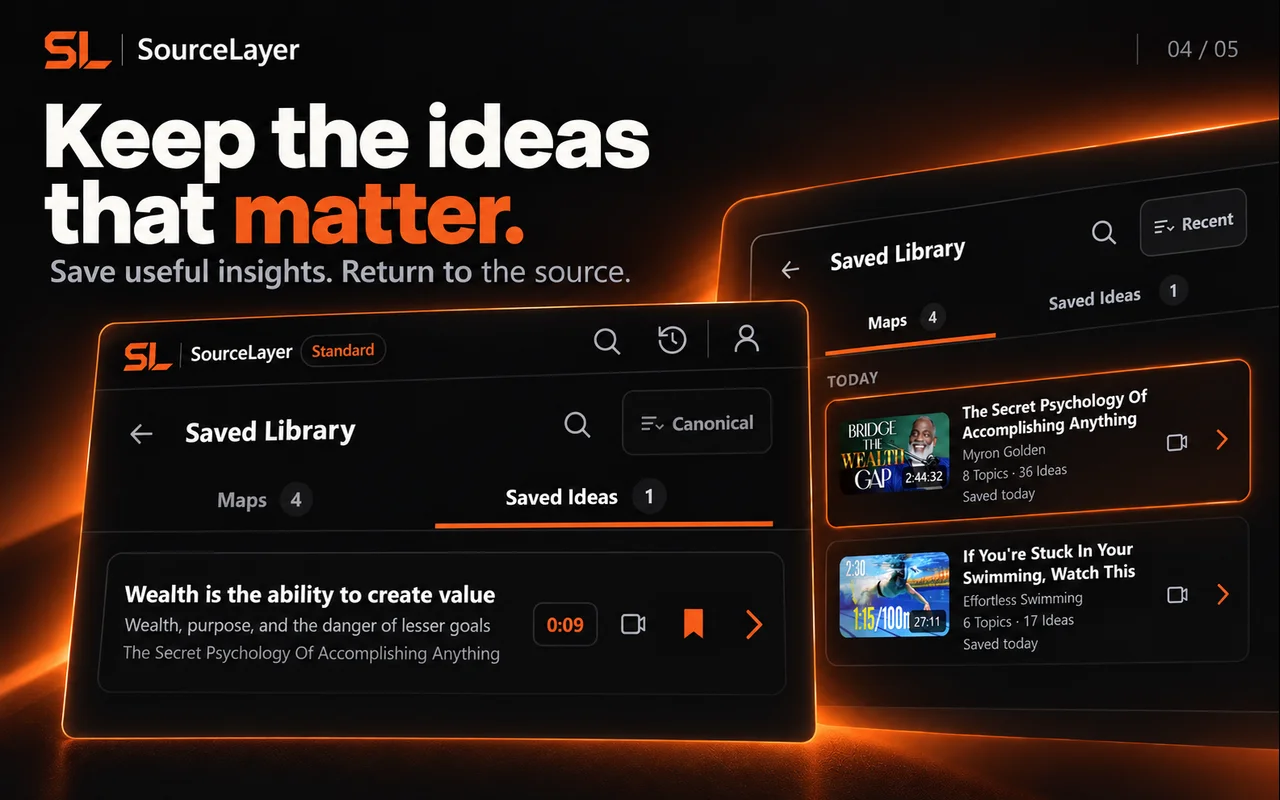
Product views from our published Chrome Web Store listing. Saving Maps and ideas is available on Standard.
Map: explore sections and ideas, then return to a timestamp.Saved Library on Standard: keep Maps and useful ideas for later.
Frozen marketing Map based on the captured public English caption track. Source: Physics Videos by Eugene Khutoryansky, Creative Commons Attribution (YouTube). Selected excerpts and editorial paraphrases; no affiliation or endorsement.
This example uses the current research demonstration. It illustrates Map navigation; it is not a transcript of the video.
Two slits turn individual impacts into an interference pattern
 Add SourceLayer to Chrome