 Add SourceLayer to Chrome
The quick summary: At a Glance
At a Glance gives a short orientation, key takeaways, main themes and important source-linked moments. Use it to decide whether a video is worth your time, or where to start. It does not replace the Map or the video.
Chrome extension
Most YouTube summary extensions give you a short answer. SourceLayer gives you a short answer and a way back into the video. At a Glance orients you in seconds; the Map breaks the whole video into sections and ideas, each linked to its transcript passage and the exact moment it was said.
By SourceLayer team · Updated 2 November 2026
At a Glance gives a short orientation, key takeaways, main themes and important source-linked moments. Use it to decide whether a video is worth your time, or where to start. It does not replace the Map or the video.
The Map splits the video into sections in the order they happen, and each section into ideas. Open any idea to see the transcript passage that supports it, then jump to the exact timestamp. As the video plays, the Map follows along, so you always know where you are.
The Transcript tab shows the available source text. Because every idea is tied to a passage and a moment, you can check the wording before you quote it, revise from it or share it. The source always wins.
On Standard, save Maps and ideas to your Saved Library and reopen them when the topic comes up again, without searching the video from scratch.
1. Add SourceLayer to Chrome from the Chrome Web Store. 2. Open a supported YouTube video with captions. 3. Open SourceLayer beside the video. 4. Create a Map and start with At a Glance. 5. Open the ideas you need and jump to their timestamps.
Permissions and setup for ChromeStudents working through lectures and courses, researchers checking interviews and talks, podcast listeners who want to find a topic again, and professionals who learn from long tutorials. If your videos are short and the gist is enough, a summary-only extension may be all you need.
Free includes 3 hours of video per month with no card. Standard is $13.99 per month or $125.91 per year in the US, and £10.99 per month or £98.91 per year in the UK (save 25% annually), with 30 hours per month and the Saved Library.
See pricingSourceLayer works with supported YouTube videos that have usable captions, in Chrome. Automatic captions can mishear names and technical terms, and a Map can miss context, so check the original video before relying on an idea. In the inspected extension implementation, video sync and timestamp seeking are limited to the first 90 minutes of a video. SourceLayer does not summarise web articles or PDFs.
Yes, with At a Glance: a short orientation and key takeaways. Its main feature is the Map, which keeps the structure of the whole video and links every idea to its transcript passage and exact timestamp.
It works on supported YouTube videos that have usable captions. In the inspected extension implementation, video sync and timestamp seeking are limited to the first 90 minutes.
Free includes 3 hours of video per month with no card. Standard is $13.99 per month or $125.91 per year in the US, and £10.99 per month or £98.91 per year in the UK and includes 30 hours per month plus the Saved Library.
SourceLayer is a Chrome extension. It works beside supported YouTube videos that have usable captions.
Product views from our published Chrome Web Store listing. Saving Maps and ideas is available on Standard.
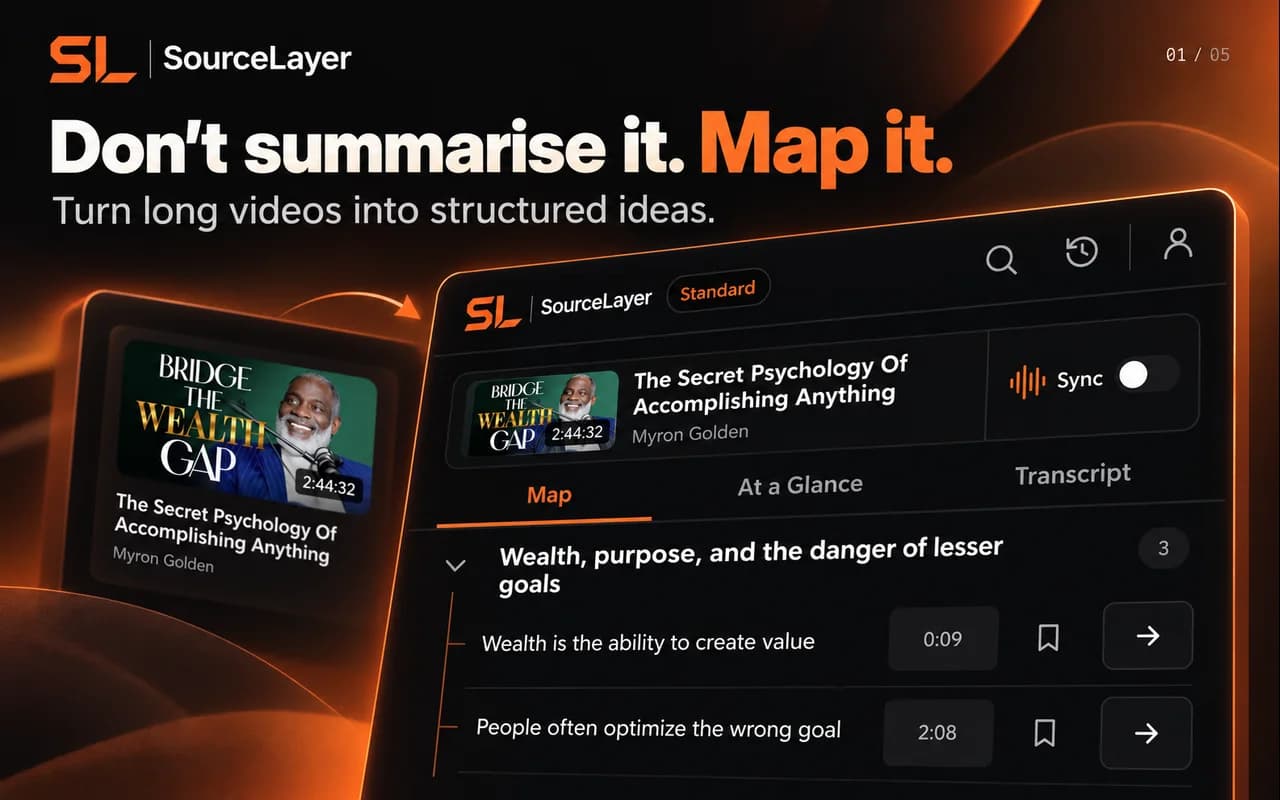
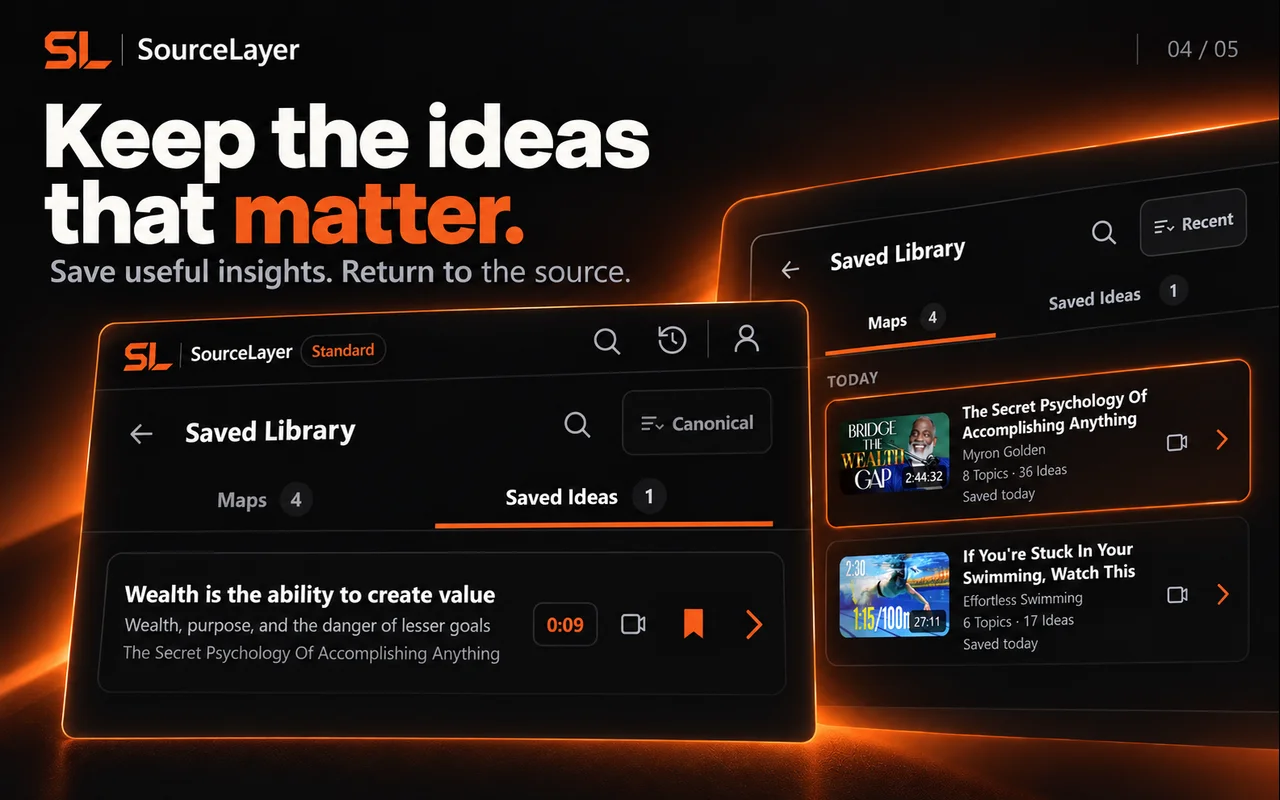
View the current Chrome Web Store listing. Listing artwork shows example content; it does not imply creator endorsement.
Quantum Mechanics: Animation explaining quantum physics — Physics Videos by Eugene Khutoryansky (25:46).
Frozen marketing Map based on the captured public English caption track. Source: Physics Videos by Eugene Khutoryansky, Creative Commons Attribution (YouTube). Selected excerpts and editorial paraphrases; no affiliation or endorsement.
This example uses the current research demonstration. It illustrates Map navigation; it is not a transcript of the video.
Source-linked by design.
Idea → Supporting transcript → Exact timestamp → Original source